 QuoteCloud
Hide a discount from your customer
Give a lower price without showing that a discount exists, in the document, the PDF or anything sent to other apps.
Hide from customer gives your customer the reduced price as if it were the real price. They can't tell there was a discount.
Hide a discount
3 steps
Open the discount
Right-click the row and choose Add discount, margin or markup…, or Edit discount… if it already has one.
Turn on Hide from customer
Under Show the customer, turn on Hide from customer. The preview shows a Discount hidden label and only the lower price.
Apply it
Select Apply.
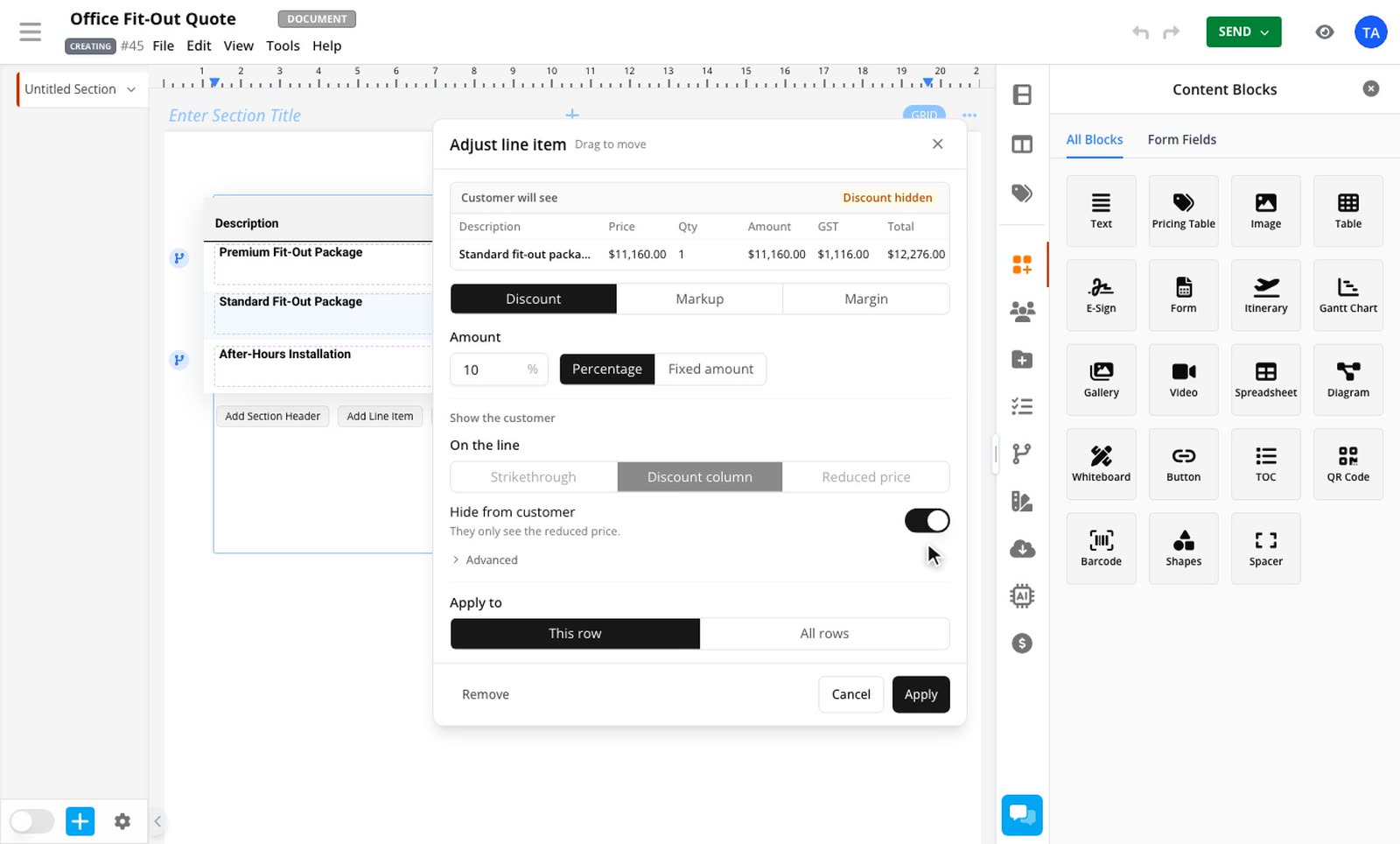
Hiding overrides your On the line choice. If you turn it off again, your earlier choice comes back.
What your customer gets
The reduced price in the document and the PDF. A PDF is always the customer's copy, whoever generates it.
Totals and data items worked out from the reduced price.
$0 if the table has a visible discount column, the same as any row with no discount.
No discount or cost figures sent to their browser, so they aren't in the page's source either.
Other apps get the reduced price too. That includes the API and Zapier, and Salesforce receives the net unit price.
Only you see the true figures, and only in the editor.
When you can't hide a discount
The switch turns off and tells you why in these cases:
Your customer can change the quantity, and the discount is a fixed amount off the whole line. Use a percentage or a per-unit amount, so the price stays correct at any quantity.
Your customer can change the term, and the discount comes off once. Take it off every period.
The discount applies after tax. A reduced price can't carry tax correctly in that case. Apply it before tax.
A hidden discount over a term
If a hidden discount comes off once on a row with a term, it's spread evenly over the full term in the price your customer sees.
Related guides
- Choose how a discount appearsShow a line discount as a crossed-out price, in a discount column or as a lower price, and see how it affects the totals.Line Item Adjustments add-on
- Discount a line itemTake a percentage or a fixed amount off a single row, per unit or for the whole line.Line Item Adjustments add-on