QuoteCloud
What’s changed
You can now adjust a single line in a price table without building formulas. Right-click a row, choose a discount, markup or margin, and preview what your customer will see before you apply it.
Show it your way
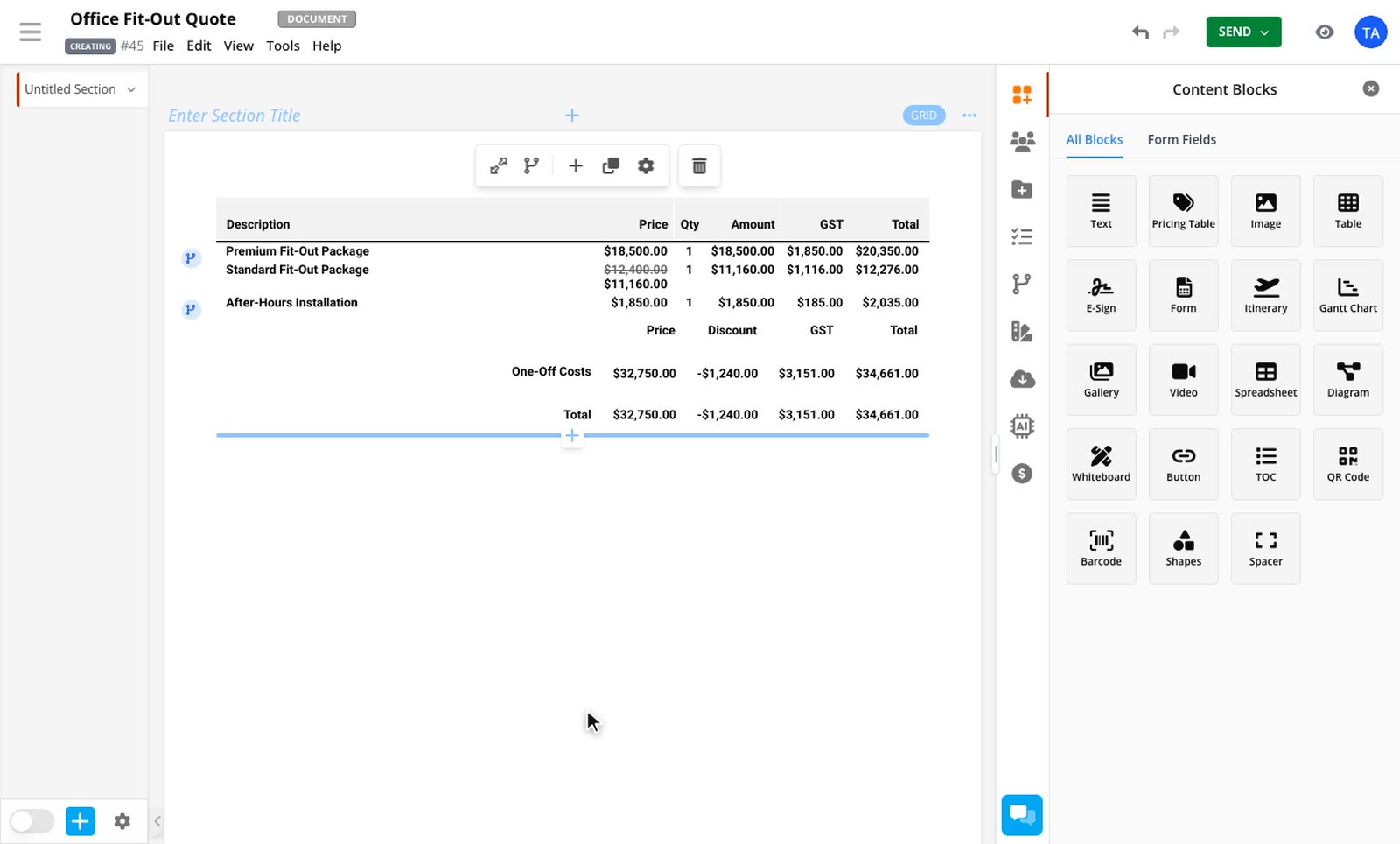
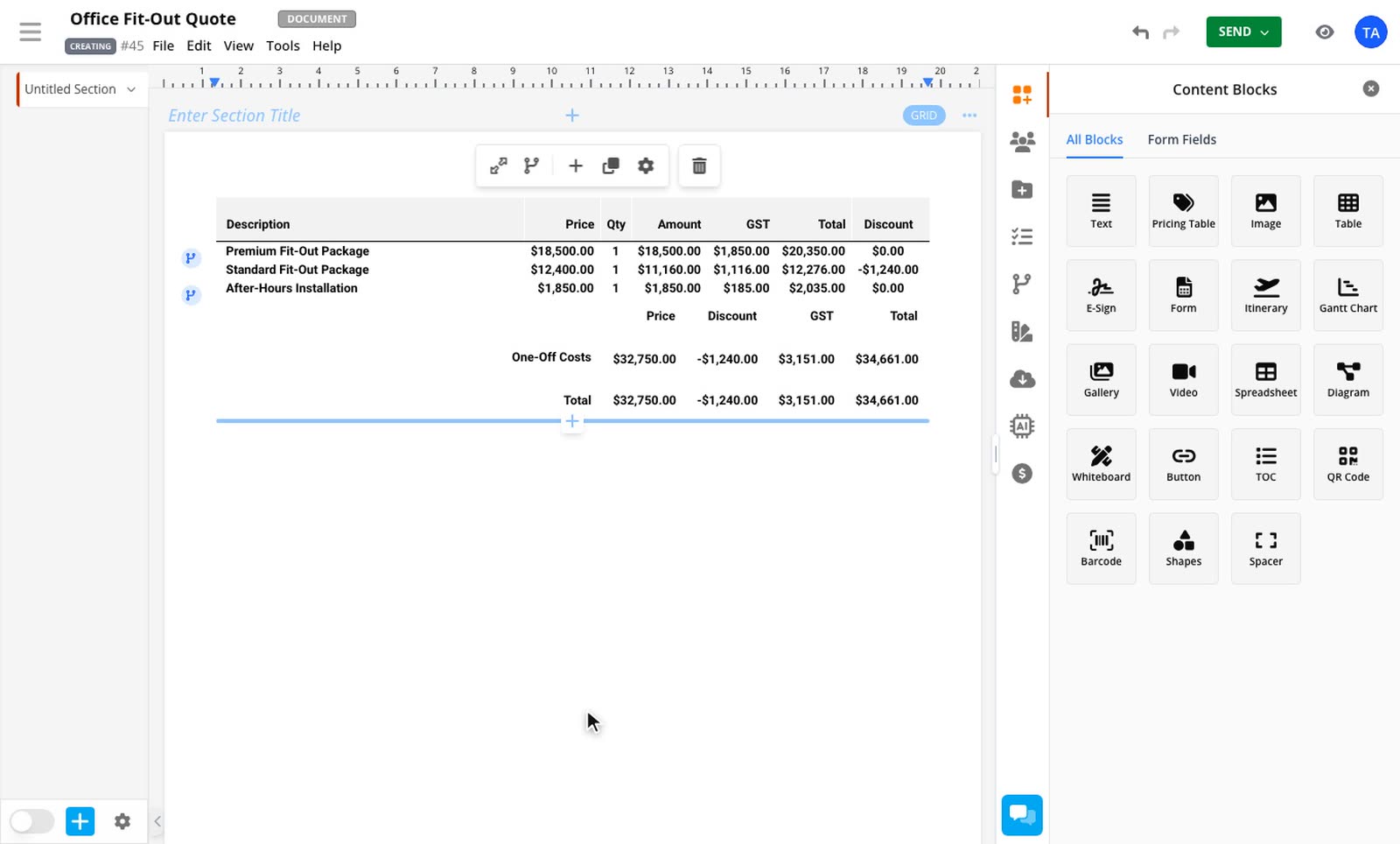
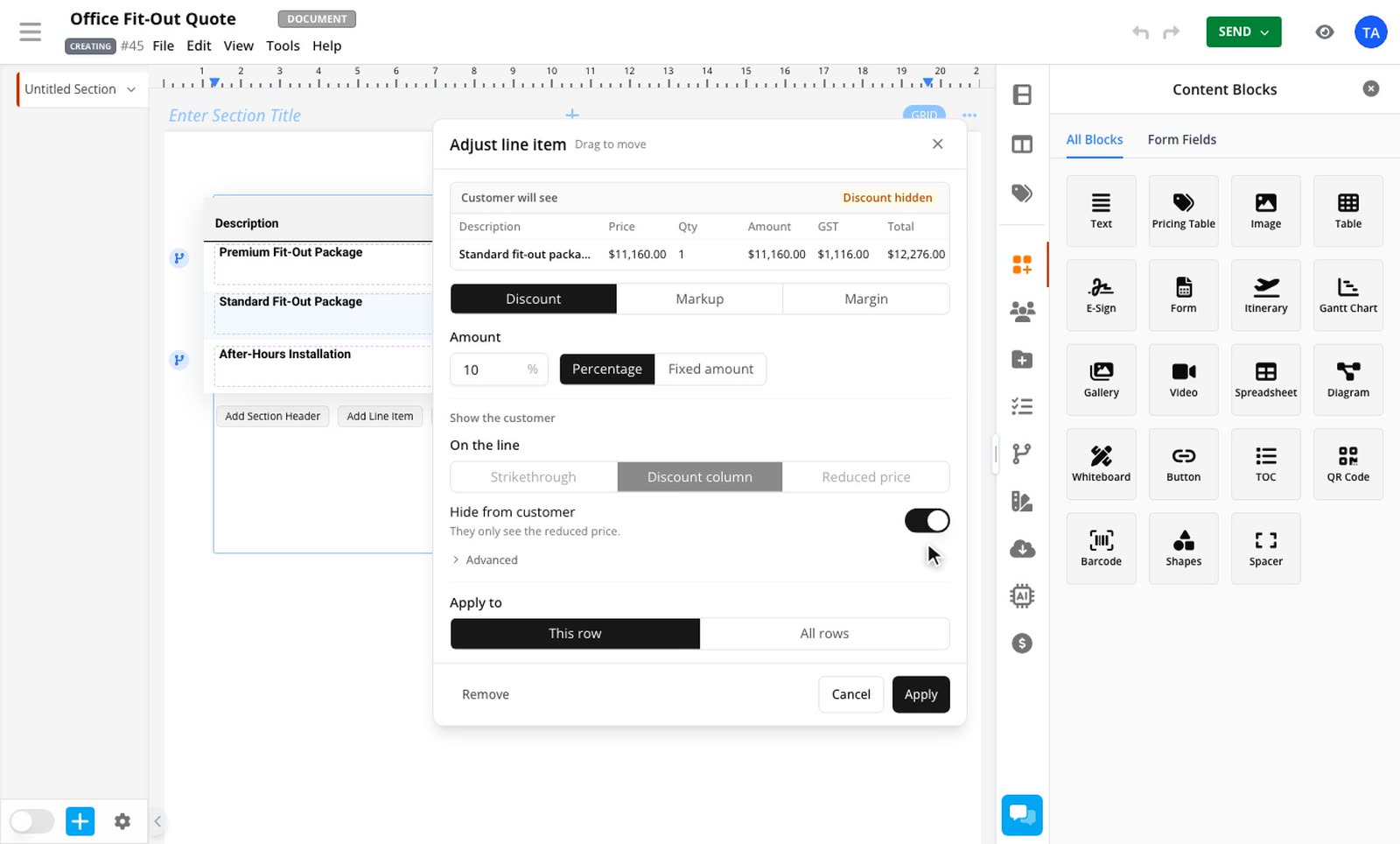
Cross out the old price, use a discount column or show only the lower price. The discount follows your table's Discount total, so your totals layout stays as you set it.
Hide a discount completely
Turn on Hide from customer and they get the reduced price as if it were the real one. That applies in the document, the PDF and anything sent to other apps.
Price from your cost
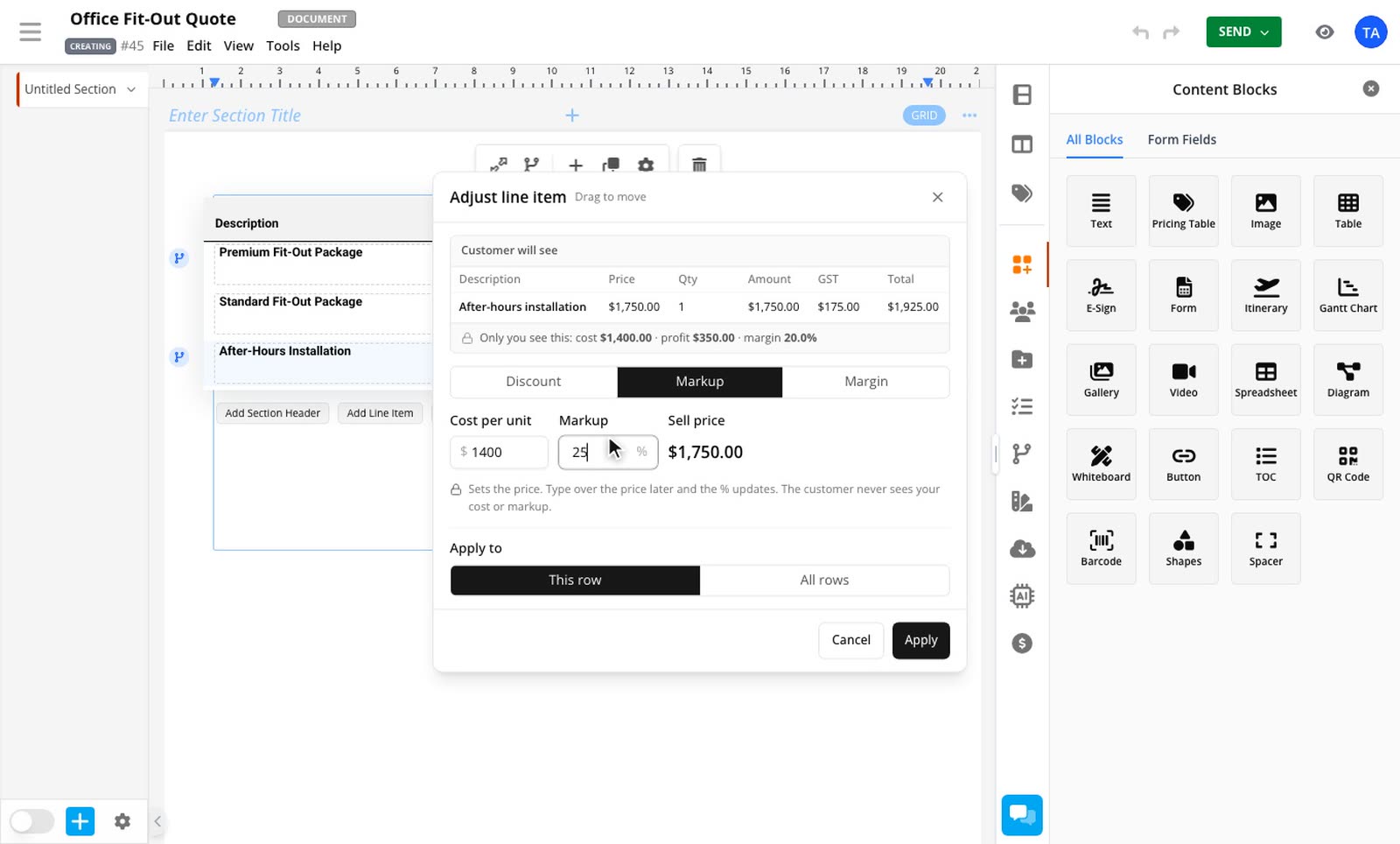
Enter a markup or margin and the price is worked out from your cost. Only you see the cost and profit. Type over the price and the percentage follows.
Change it with a pricing rule
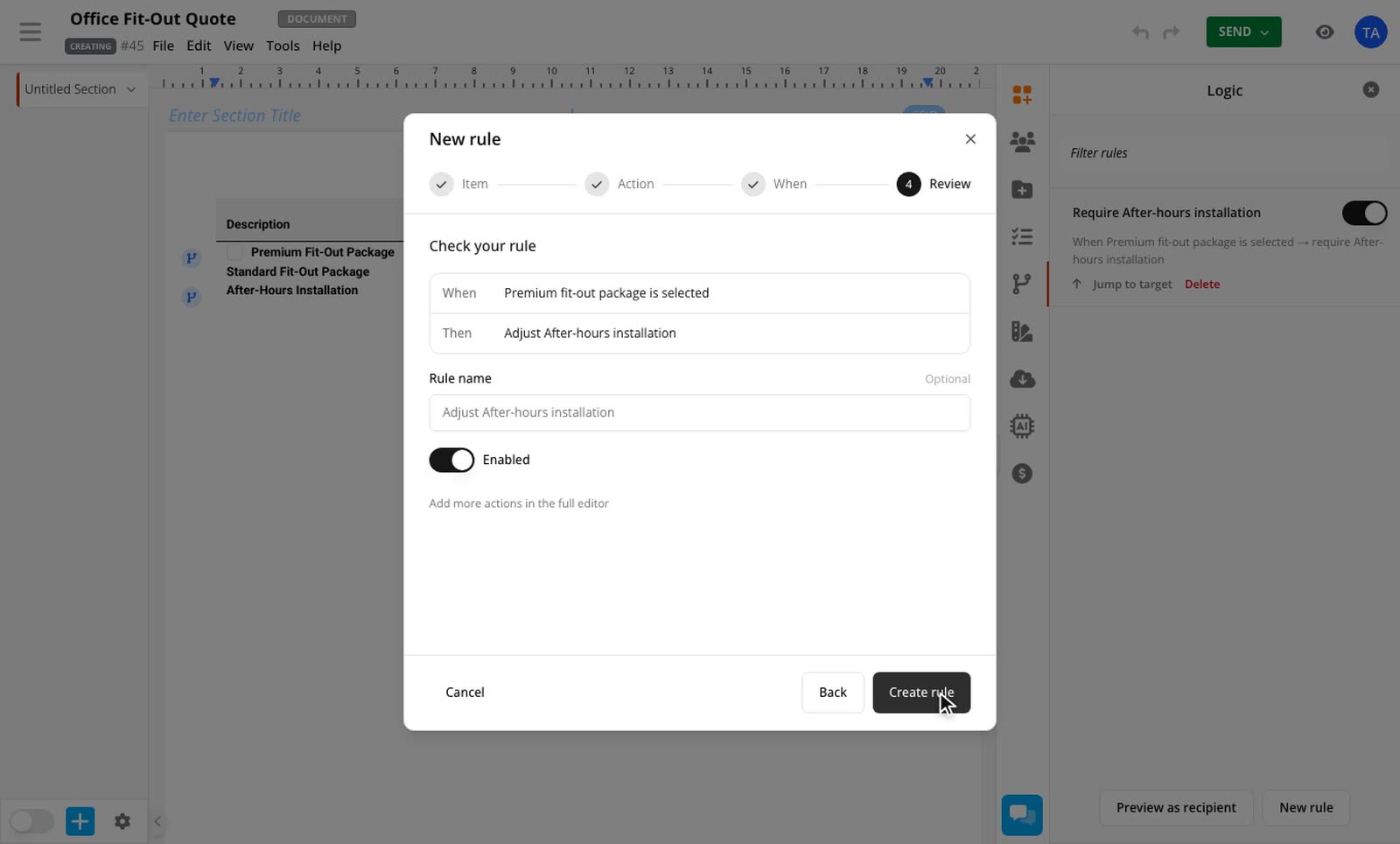
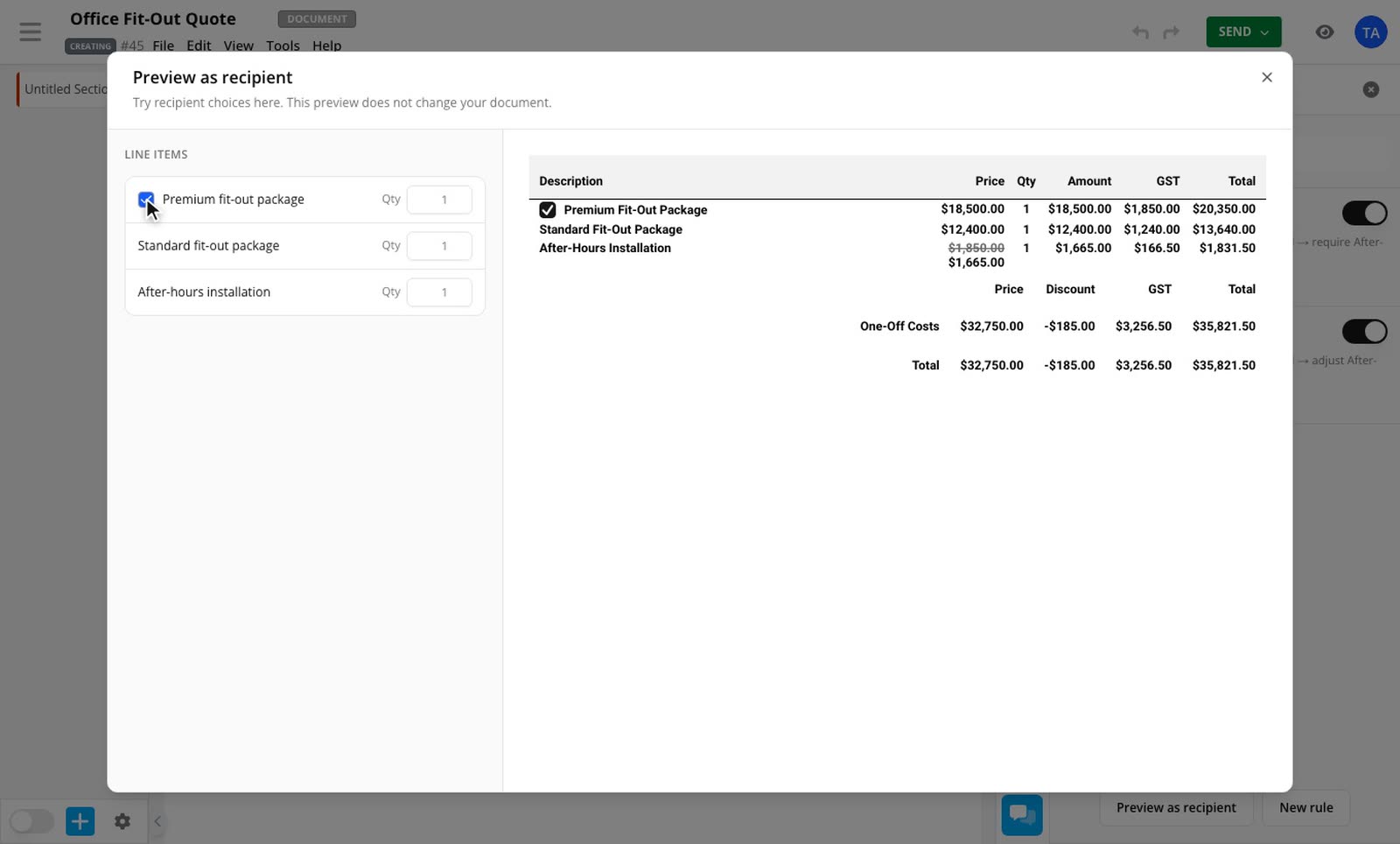
Pricing rules can now set a discount, markup or margin, turn one off, or change how a discount shows. Take 10% off installation when your customer picks the premium package, and the discount goes away if they change their mind. Rules need the Conditional Pricing add-on as well.
How to use it
3 steps
Open the row's menu
Right-click a row and choose Add discount, margin or markup…. On a phone, tap the row and open Adjustment.
Set the amount
Choose a tab, enter the amount and choose what your customer sees.
Apply it
Apply it to this row, this section or all rows. You can also set a table default for new rows from the table's menu.
Line Item Adjustments is included on the Business plan and above, and during a trial. Read how line item adjustments work, or see pricing rule examples.