 QuoteCloud
Turn Viewer Home off for your company
Keep your documents out of your recipients' Viewer Home lists. Recipients can still open every document you send them.
Viewer Home lets your recipients see every document sent to their email address in one list. It is on for every company. You can turn it off if your documents must only be opened from the email you send.
Turn off Viewer Home
2 steps
Open your company settings
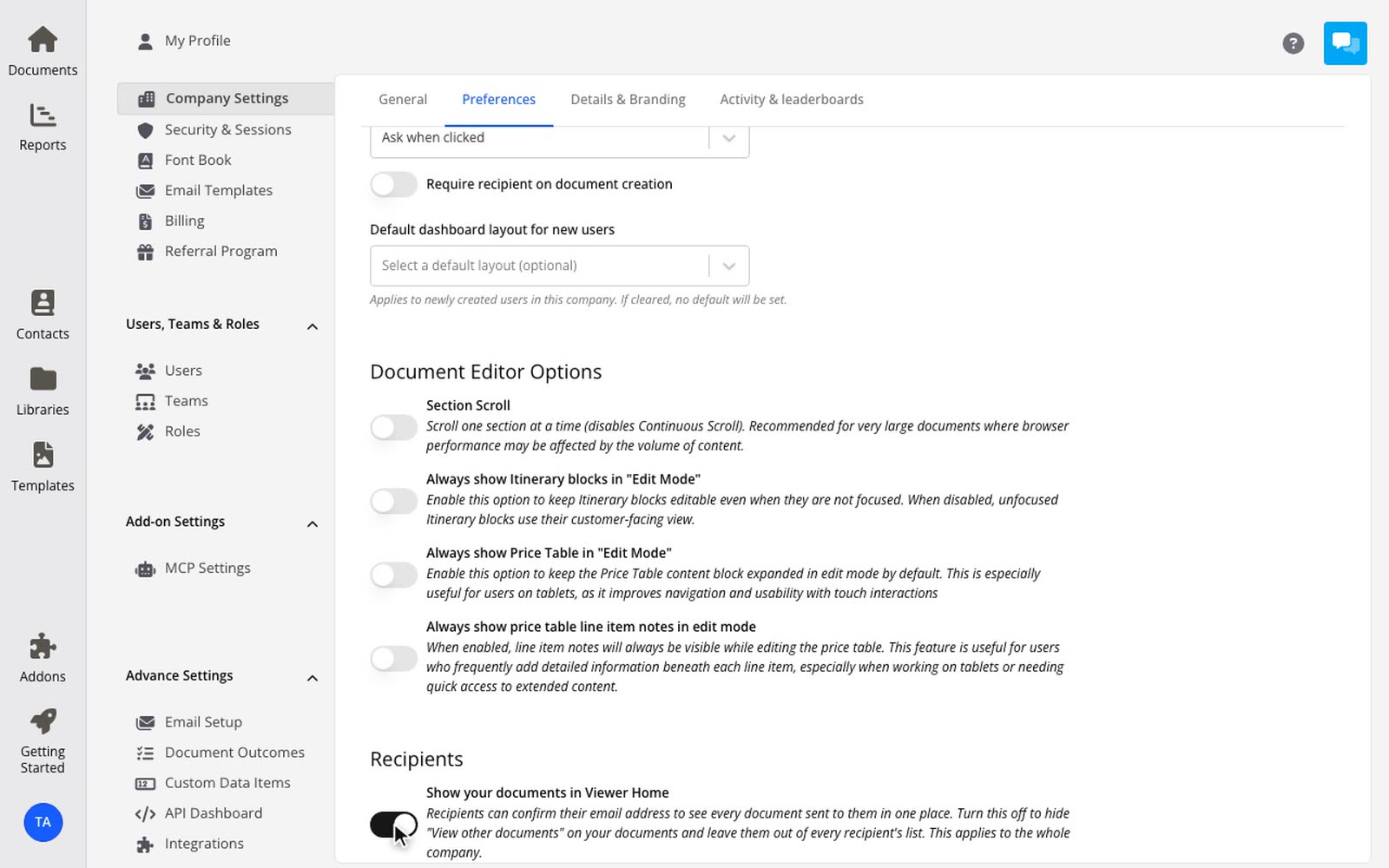
Go to Settings > Company Settings, then select the Preferences tab.
Turn off the setting
Under Recipients, turn off Show your documents in Viewer Home. The change saves at once.
What changes when it is off
Your documents do not appear in any recipient's Viewer Home list, including documents you sent before.
View documents and View other documents do not show on your documents.
Recipients can still open the documents you send them, from the email or the link.
Documents from other companies still appear in your recipients' lists. Turn the setting back on at any time, and your documents appear again.