QuoteCloud
What’s changed
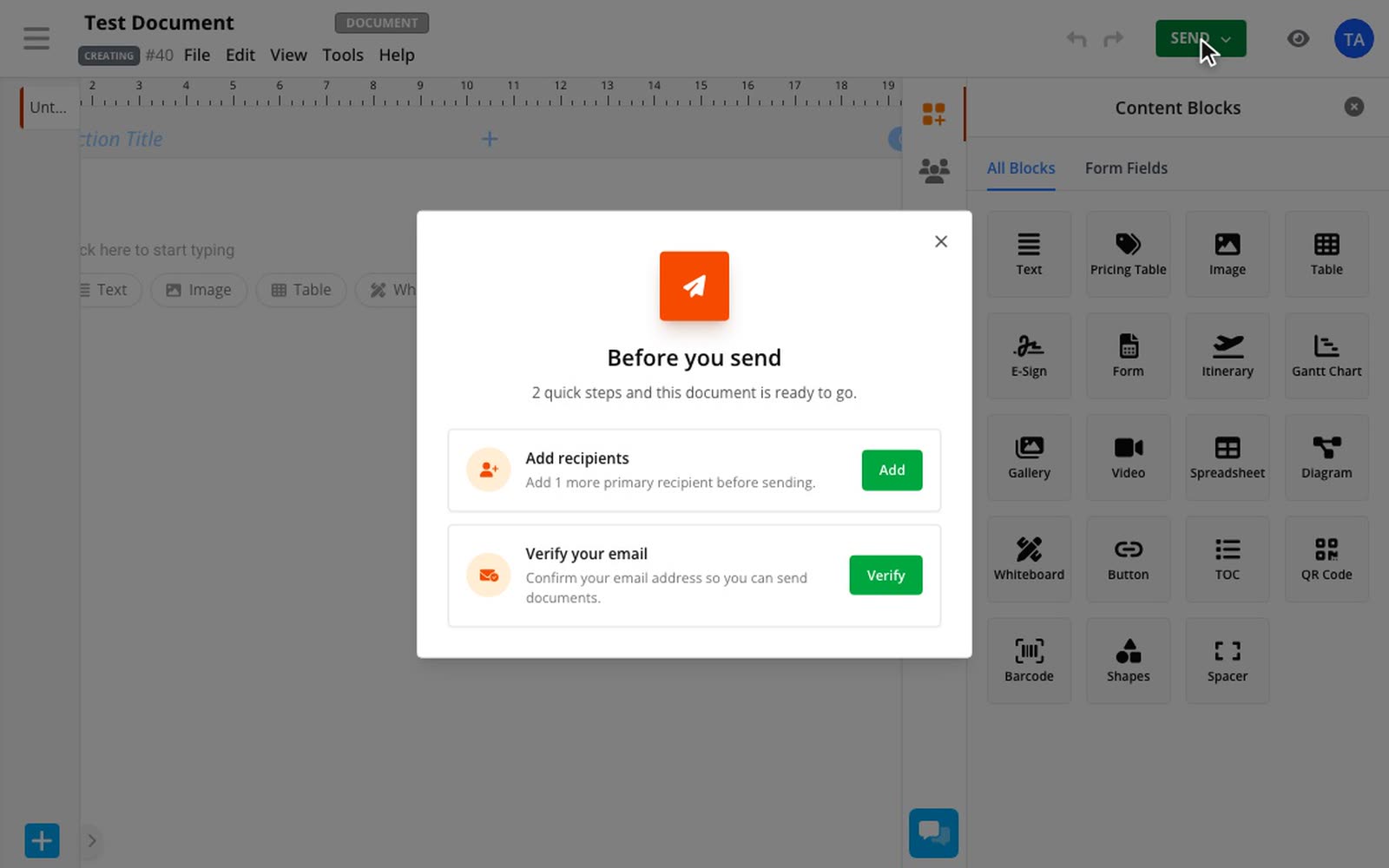
If a document isn't ready to go, Send now tells you why. You get a short list of what's left instead of a dead end, and you can sort each step out right there.
Everything left, in one place
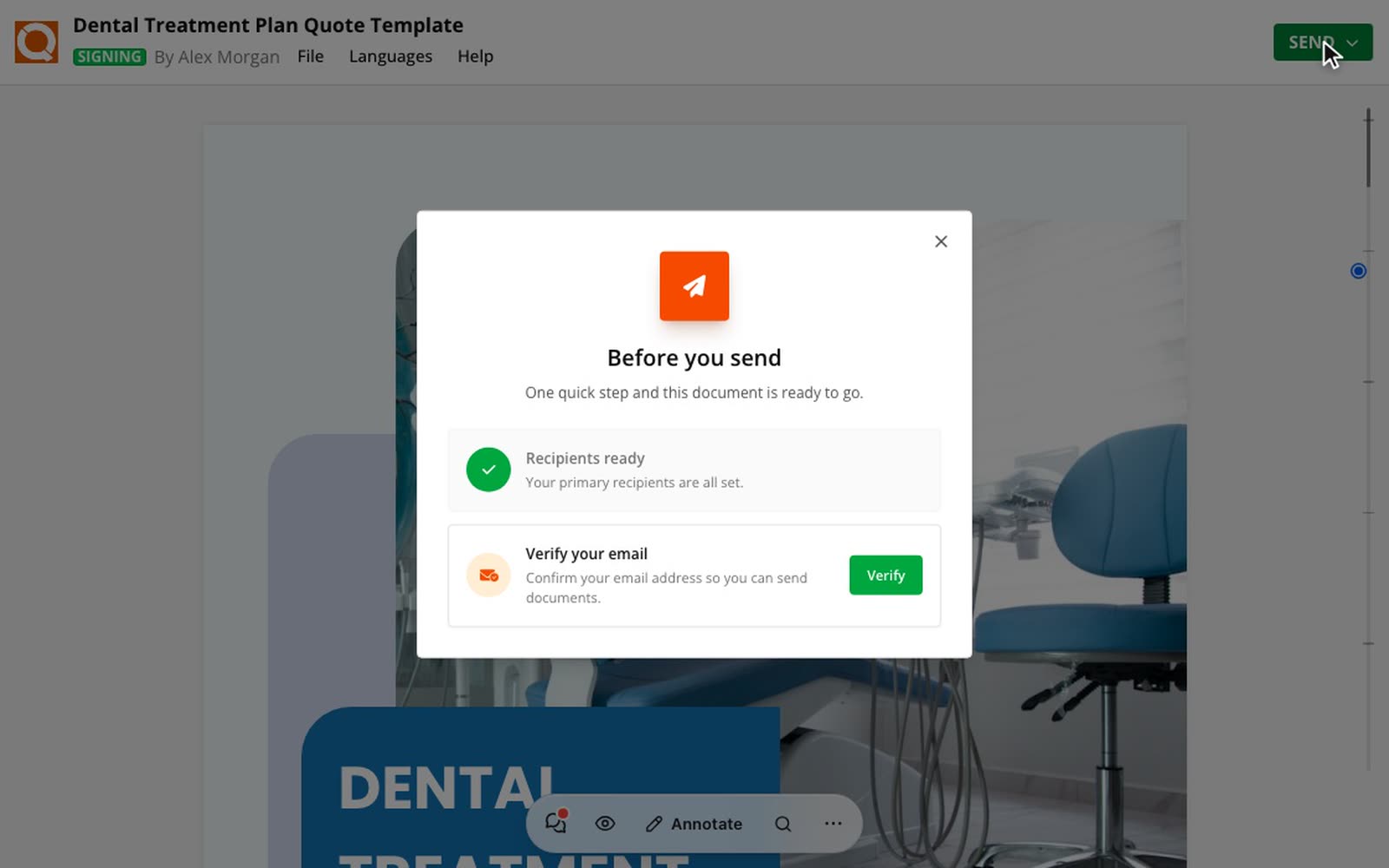
Each step says what's missing and has its own button. A draft with nobody to send to asks you to add a recipient. A new account asks you to verify your email. Steps tick off as you finish them, so you can see how close you are.
Verify without leaving the document
Select Verify and we'll send your verification email straight away, right from the checklist. There's no settings page to find, and your document stays open.
How to use it
3 steps
Select Send
Select Send at the top of your document, the same as always. If nothing's missing, there's no checklist to get through.
Work through the steps
Select the button beside each step, such as Add or Verify.
Send your document
When every step is ticked, your document is ready to go.